State DL service
Select the issuing state, then look for Print Driving Licence, DL Extract or the equivalent service available there.
Open Sarathi ParivahanSelect the issuing state, then look for Print Driving Licence, DL Extract or the equivalent service available there.
Open Sarathi ParivahanSign in, find the relevant transport issuer and fetch the driving licence into DigiLocker's Issued Documents area.
Open DigiLockerUse the official mParivahan route when you want a Virtual DL designed for convenient mobile display and verification.
Open mParivahanYou can access an already-issued Indian driving licence online through DigiLocker, mParivahan or the Sarathi Parivahan service available for your state. DigiLocker provides an issuer-fetched digital document, mParivahan creates a Virtual DL for convenient mobile access, and Sarathi may provide a printable licence or DL Extract depending on the service enabled by your state.
Use the method that matches the result you need:
Privacy notice: DrivingLicenceDownload.net is an independent information website. We do not issue licences or collect your DL number, Aadhaar number, date of birth, password, MPIN or OTP. Complete all document retrieval only on the linked official government platform.
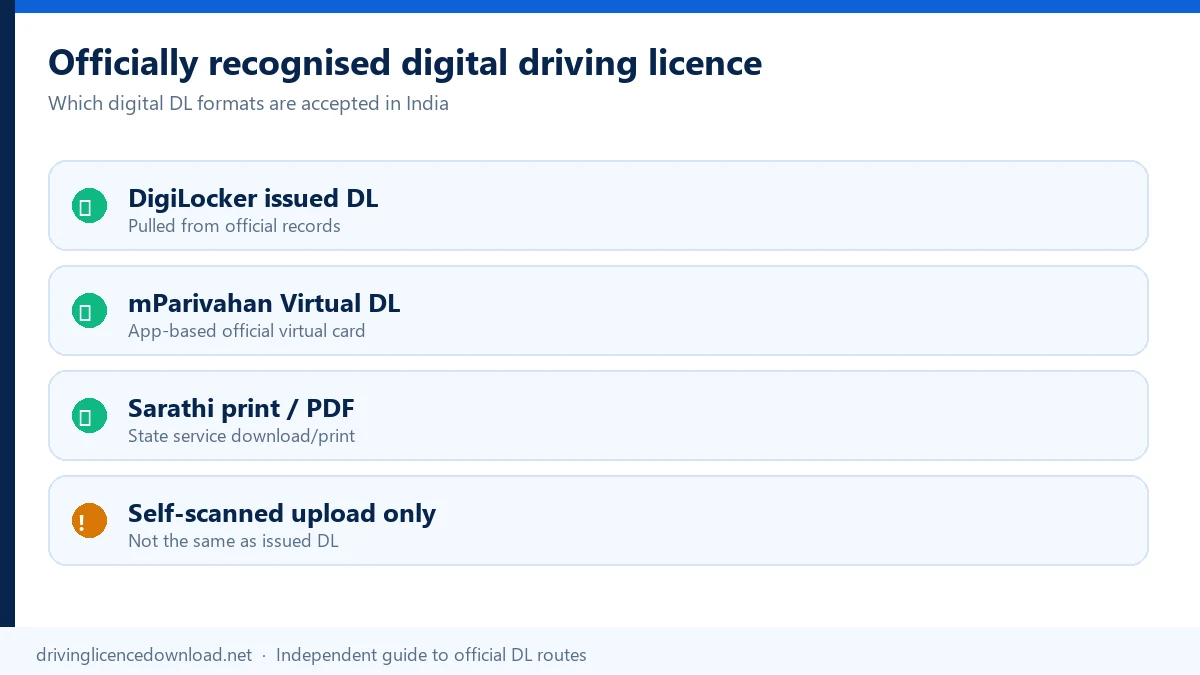
MoRTH's Rule 139 advisory states that electronic driving-licence and registration-certificate records presented through DigiLocker or mParivahan are recognised at par with the original documents when the information is available through the official electronic record. This does not mean that every photograph, edited screenshot, uploaded scan or privately generated PDF has the same status.
Use an issuer-fetched DigiLocker document, the live mParivahan Virtual DL, or the output made available by the concerned licensing authority. If the source record shows expired, suspended, disqualified or incorrect information, downloading it does not cure that condition.
A MoRTH driving licence download is that electronic record from the Ministry of Road Transport and Highways, fetched in DigiLocker or shown in mParivahan.
Official basis: MoRTH Rule 139 advisory and DigiLocker transport-document guidance.
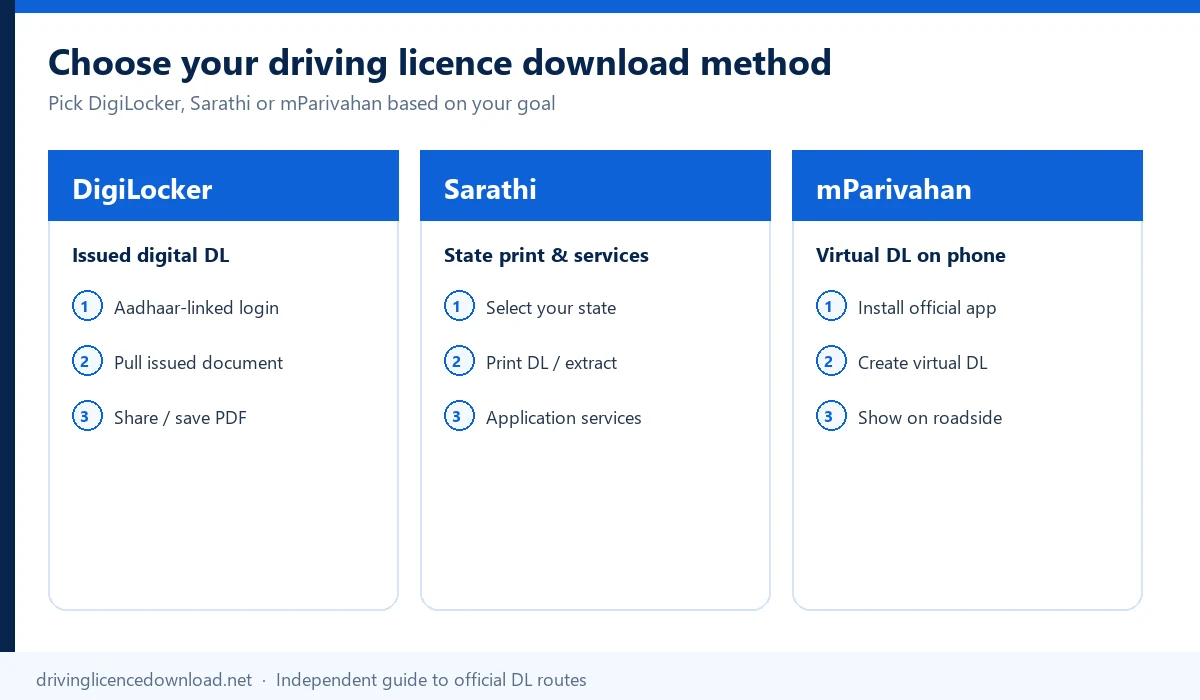
The three main official routes do not always produce the same type of document. Choose a platform according to whether you want an issuer-fetched document, a mobile Virtual DL or a state-enabled printable output.
| What you need | Recommended method | Details usually required | Expected result |
|---|---|---|---|
| An issuer-fetched digital document | DigiLocker | Aadhaar-linked account, DL number and matching identity details | Driving licence in Issued Documents |
| A licence to display from your phone | mParivahan | Mobile login, DL number and date of birth | Virtual DL |
| A printable state-enabled output | Sarathi Parivahan | Issuing state, DL/application information and DOB | Print DL or DL Extract, where enabled |
| Access through a broader government-services app | UMANG | UMANG login and connected service details | Connected DigiLocker or transport service |
| An old paper DL that is not online | Issuing RTO | Old licence and available record details | Record verification, correction or backlog entry |
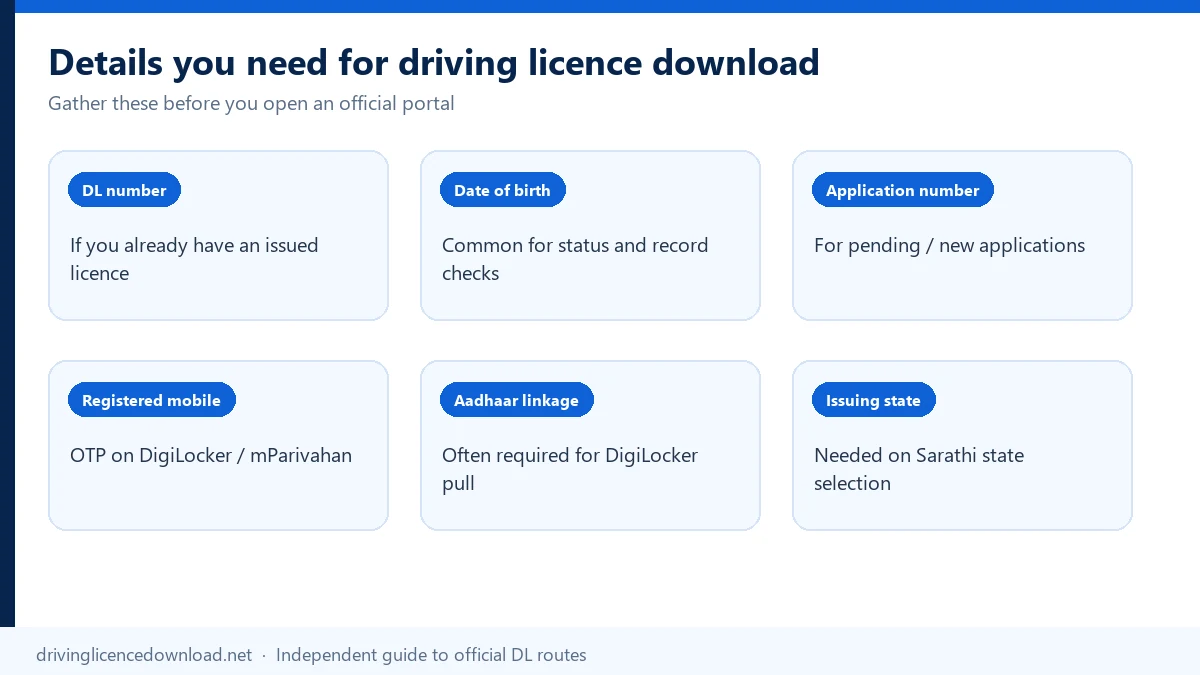
Keep the following information ready before opening an official service:
You normally do not need passport photographs, address proof, age proof, a learner licence, a medical certificate or a new-DL application form merely to retrieve an already-issued digital licence. Those documents may be required for a new licence, renewal, correction or replacement service, which is a different task.
A driving licence online apply is that separate Sarathi application for a new, renewed, corrected or replacement licence.
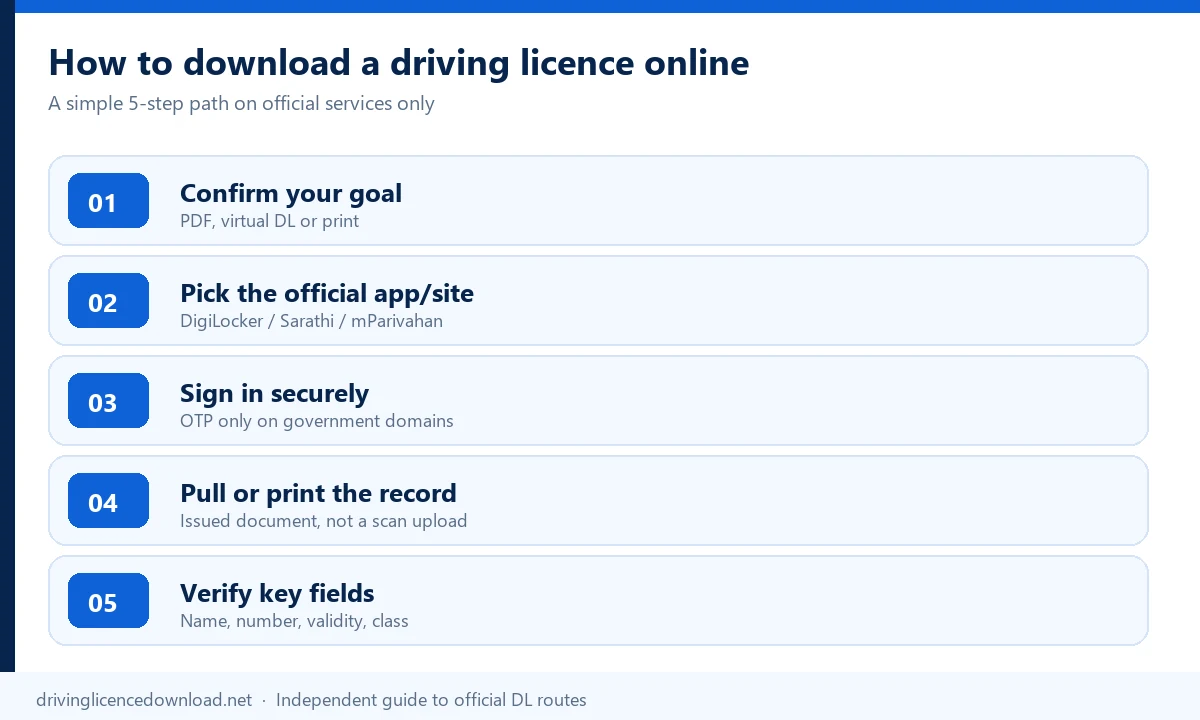
DigiLocker is the most suitable route when you want an issuer-fetched digital driving licence stored in an official document wallet.
Fetching a licence from the connected issuer is different from manually uploading a photograph or scanned card. The fetched record belongs in Issued Documents and may include a secure QR code for verification.
That fetched file is the MoRTH driving licence download stored under Issued Documents.
If DigiLocker cannot find the record, do not repeatedly create new accounts. First check the DL number, issuing state and identity details. A mismatch between the name on Aadhaar and the name associated with the requested document can prevent retrieval.
For account issues and detailed troubleshooting, see our DigiLocker Driving Licence guide.
Sarathi provides state-specific driver-licence services. Depending on the selected state, the relevant menu may appear as Print Driving Licence, DL Extract, Services on DL or another similar option.
A Parivahan driving licence download uses this Sarathi path for the state that issued the licence.
The exact menu name and required identifier can vary by state. If Print Driving Licence is not displayed, this does not necessarily mean that your licence is invalid. Use DigiLocker or mParivahan, or follow the instructions provided by your state transport department.
Sarathi and Vahan are not the same service. Sarathi manages driver and learner licence services, while Vahan mainly manages vehicle-registration services. Users searching for “Vahan DL download” should normally use Sarathi, DigiLocker or mParivahan for an issued driving licence.
The Parivahan driving licence download is Sarathi when the state offers Print Driving Licence or DL Extract.
mParivahan is best when you want to create and display a Virtual DL on a smartphone rather than obtain only a conventional PDF.
A Virtual DL is an app-based representation of the licence record. It may not be the same output as the PDF or issued document available through another platform.
For app-specific instructions, see our mParivahan Driving Licence guide.
UMANG provides access to multiple government services from one account. After signing in to the official UMANG platform, open DigiLocker or the relevant transport service, select the driving-licence option and enter the requested record details. The available result depends on the connected service, so use DigiLocker, mParivahan or Sarathi directly if you cannot find the expected option in UMANG.
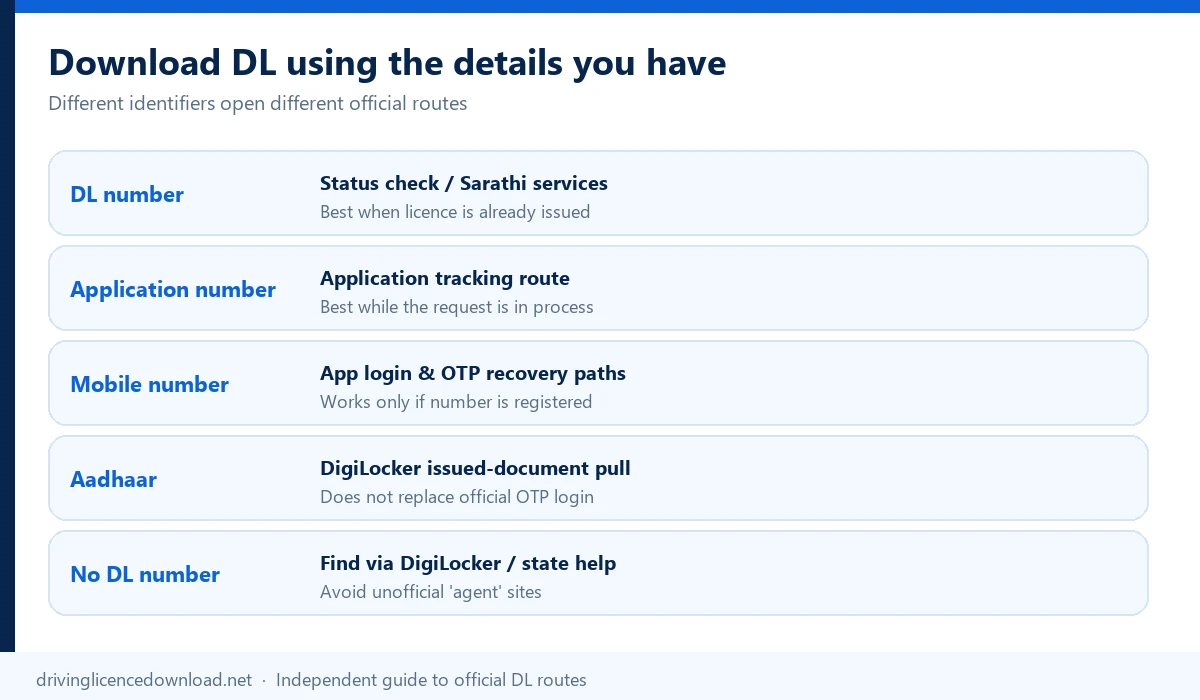
The DL number is the primary identifier for an issued driving licence. Enter it with the recorded date of birth through DigiLocker, mParivahan or the relevant Sarathi service.
A driving licence download PDF by DL number is the file saved after the portal finds the licence with that DL number and date of birth.
If the number is rejected, check:
Parivahan displays examples such as DL-1420110012345 and
DL14 20110012345. Enter the complete number rather than
only the final serial digits.
A DL number identifies an issued driving licence. An application number identifies a submitted licence-related application or transaction. They should not be treated as interchangeable identifiers.
Some Sarathi Print Driving Licence services accept an application number and date of birth. DigiLocker and mParivahan generally retrieve an issued licence using its DL number.
If your application is still being processed, downloading the final DL may not yet be possible. Use the Driving Licence Application Status service to check whether the licence has been approved and issued.
A mobile number is mainly used for account login or OTP verification. A mobile number alone does not normally replace the DL number as the licence-record identifier.
A driving licence download with mobile number uses the number for login or the OTP, and then asks for the DL number.
There are two different mobile-number relationships:
These numbers may be different. DigiLocker guidance states that a user can retrieve a driving licence in the current Aadhaar-linked DigiLocker account even when the mobile number associated with the DL is different. The user must still select the appropriate issuer and enter the licence number.
If the number stored with the DL is outdated, use the official mobile-update service available through the transport portal rather than creating duplicate licence applications.
Aadhaar helps authenticate or link a DigiLocker account. It does not universally allow a user to retrieve a driving licence by entering only an Aadhaar number.
A driving licence download with an Aadhaar card uses the card to sign in to DigiLocker, then still needs the DL number to fetch the licence.
For the DigiLocker method:
The name on the licence record should match the name associated with Aadhaar closely enough for the issuer's identity checks. If DigiLocker reports a name mismatch, compare spelling, initials, surname order and other identity details before raising a support request.
An official driving licence should not be presented as retrievable through an unverified name-only or phone-number-only search. First recover your DL or application information, then use an official service.
Check these sources:
Do not enter your name, Aadhaar number and date of birth into an unknown third-party “DL finder.” If the licence number cannot be recovered online, contact the issuing RTO.
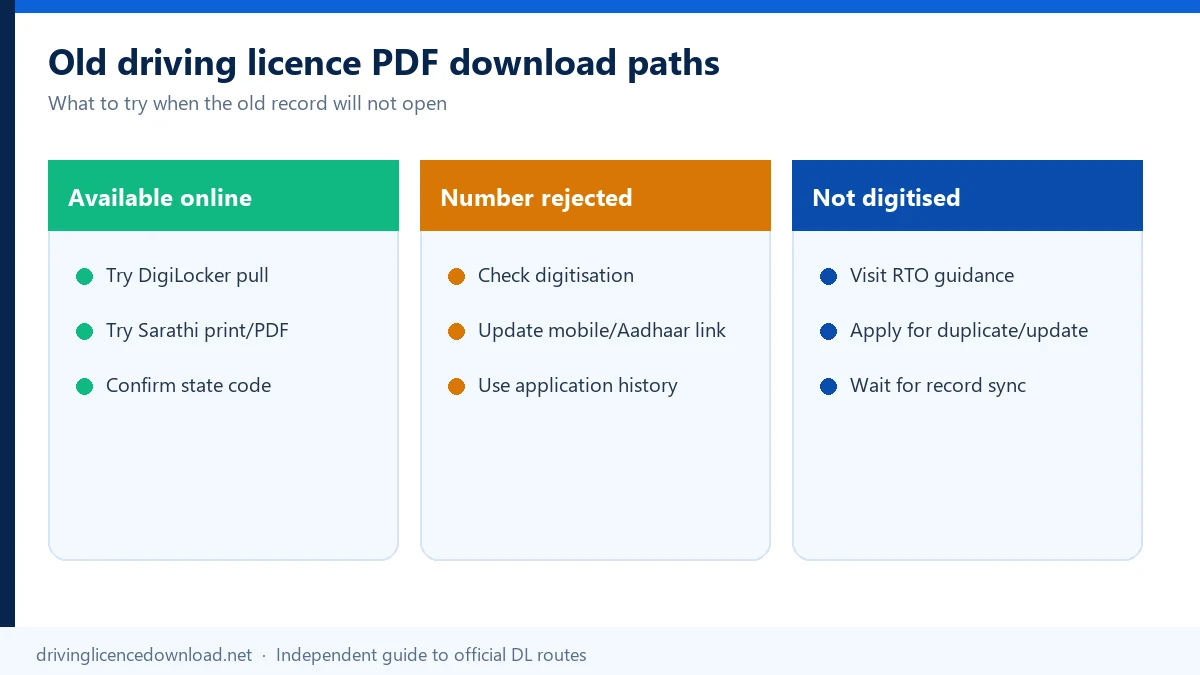
An old paper or booklet licence can be downloaded online only when its record is available in the digital transport system.
An old driving licence download PDF can be saved only after that digital record is found.
Confirm the issuing state, enter the full DL number in the required format and retrieve the record through DigiLocker, mParivahan or the available Sarathi service.
Check the number format before assuming that the record is missing. Old licences may use a different arrangement of state code, RTO code, year and serial number. Verify the exact number on the physical licence and try the accepted Parivahan format.
Some manually issued paper or booklet licences are not present in the central digital record. In that situation, contact the issuing RTO and ask whether DL backlog manual entry or another record-digitization process is required.
The RTO may need to verify the old physical record before adding or correcting it in the system. The exact process can vary by state and RTO. Do not apply for a completely new driving licence merely because an old record does not appear online until the issuing authority has confirmed the record status.
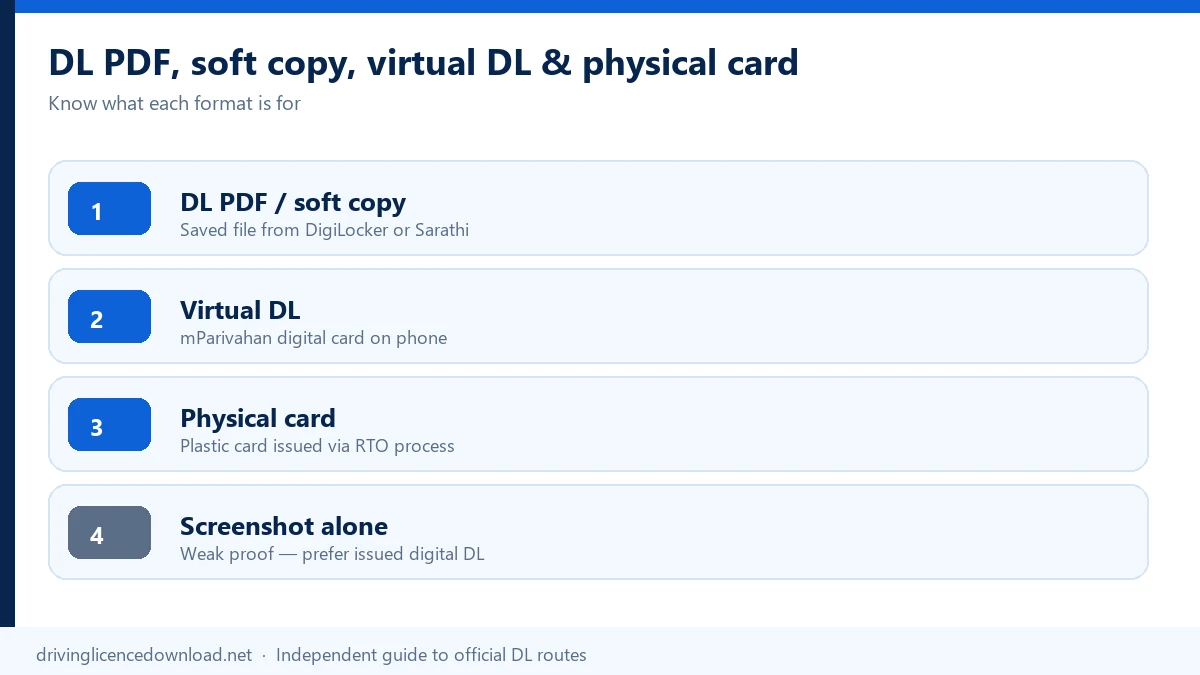
These terms are related, but they do not always describe the same output.
| Term | What it means | Important clarification |
|---|---|---|
| DL PDF | A downloadable digital file | It can be saved or printed when the platform provides a PDF |
| Digital DL | General term for an electronic licence record | It can refer to different official digital representations |
| Issued Document | A DigiLocker record fetched from the issuer | It is different from a personally uploaded scan |
| Virtual DL | The app-based mParivahan representation | It is designed for mobile access and verification |
| DL Extract | A licence-record output/service | Its availability and purpose can vary by state |
| Soft copy | Informal term for an electronic copy | It is not a separate official licence category |
| DL image | A photograph or screenshot | It may not contain issuer provenance or a working verification feature |
| PVC smart card | A physical licence card | It is not officially issued by printing a PDF at home |
| Duplicate DL | An official replacement after loss or damage | It requires a separate application |
Downloading a DL PDF does not issue a new physical PVC smart card. Similarly, uploading a scan to DigiLocker does not make it the same as a driving licence fetched from the issuing authority.
If your physical licence has been lost, you may use the available official digital record for access. If you require a replacement physical licence, follow the Duplicate Driving Licence process.
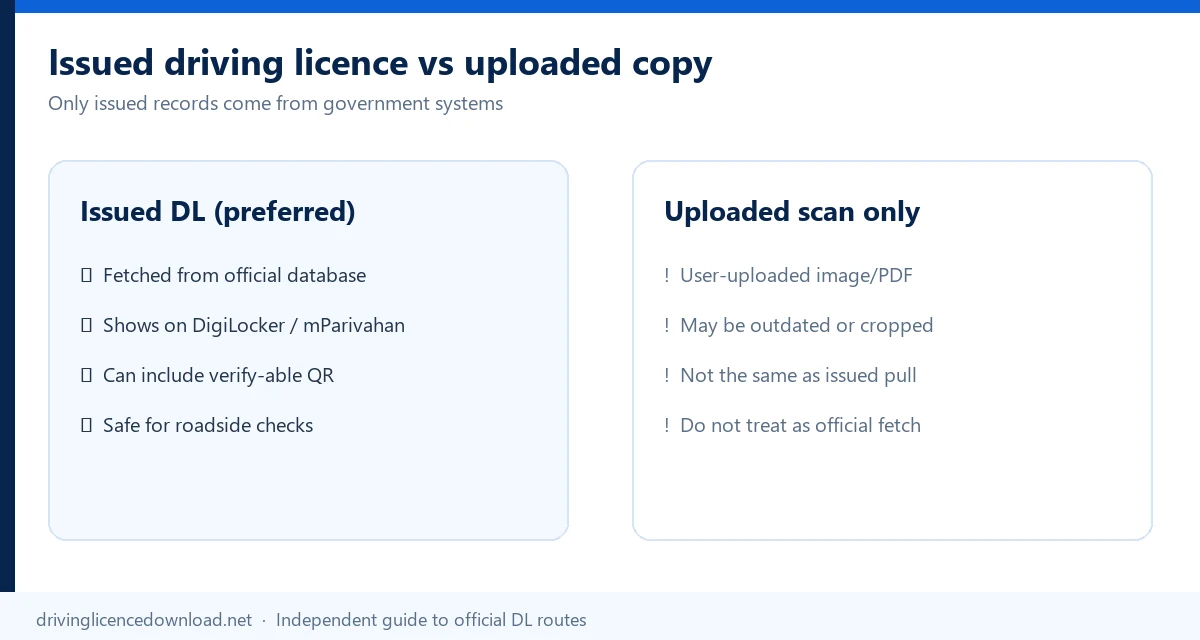
An issuer-fetched DigiLocker document and a file uploaded by the user have different provenance.
| Attribute | Issuer-fetched driving licence | User-uploaded scan or photo |
|---|---|---|
| Source | Connected government issuer | User's device |
| DigiLocker location | Issued Documents | Uploaded Documents |
| Provenance | Supplied by the issuing authority | Supplied by the user |
| Verification | May include secure QR or issuer verification | Depends on the original file |
| Recommended for official digital access | Yes | Not a replacement for fetching the issued record |
When possible, fetch the driving licence from the relevant issuer instead of relying only on a photograph, screenshot or manually uploaded scan.
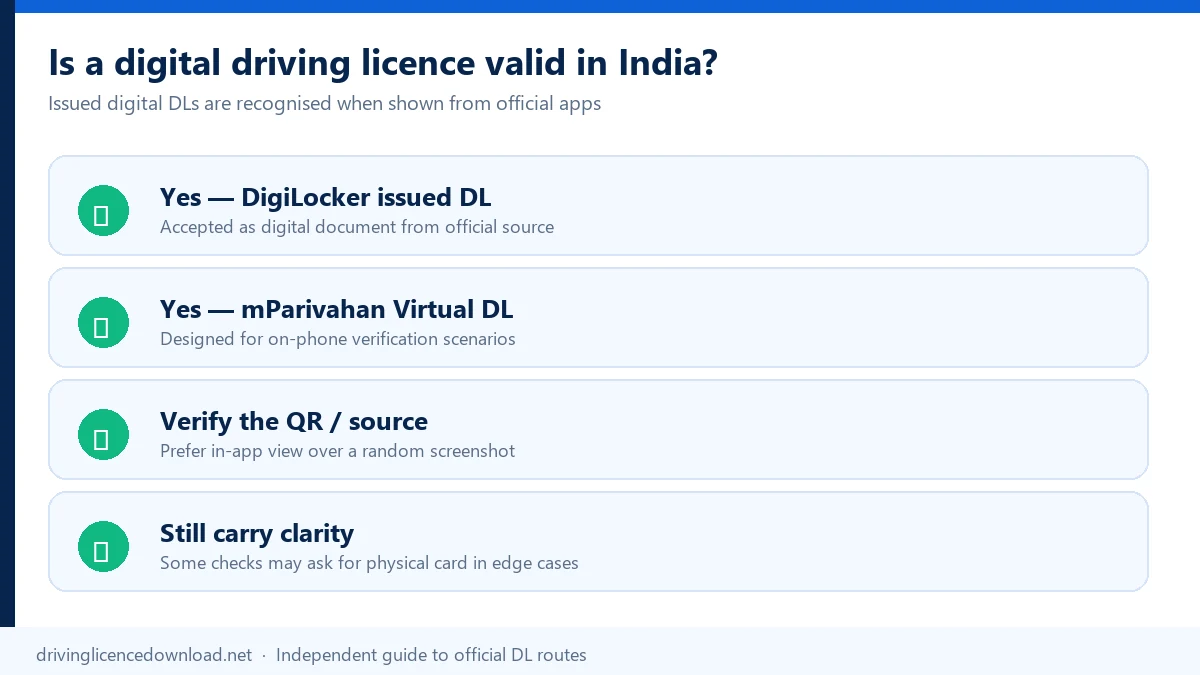
Electronic driving-licence records available through DigiLocker or mParivahan are legally recognized at par with the original under the government's electronic-document framework. The record should be retrieved through an official platform and remain verifiable.
For roadside or official verification, open the record through the official app or use the issuer-fetched document with its secure verification feature. A random photograph, edited image or unrelated cloud upload should not be treated as equivalent to an official electronic record.
If the QR code is unclear or does not verify, retrieve the document again from DigiLocker rather than altering the file.
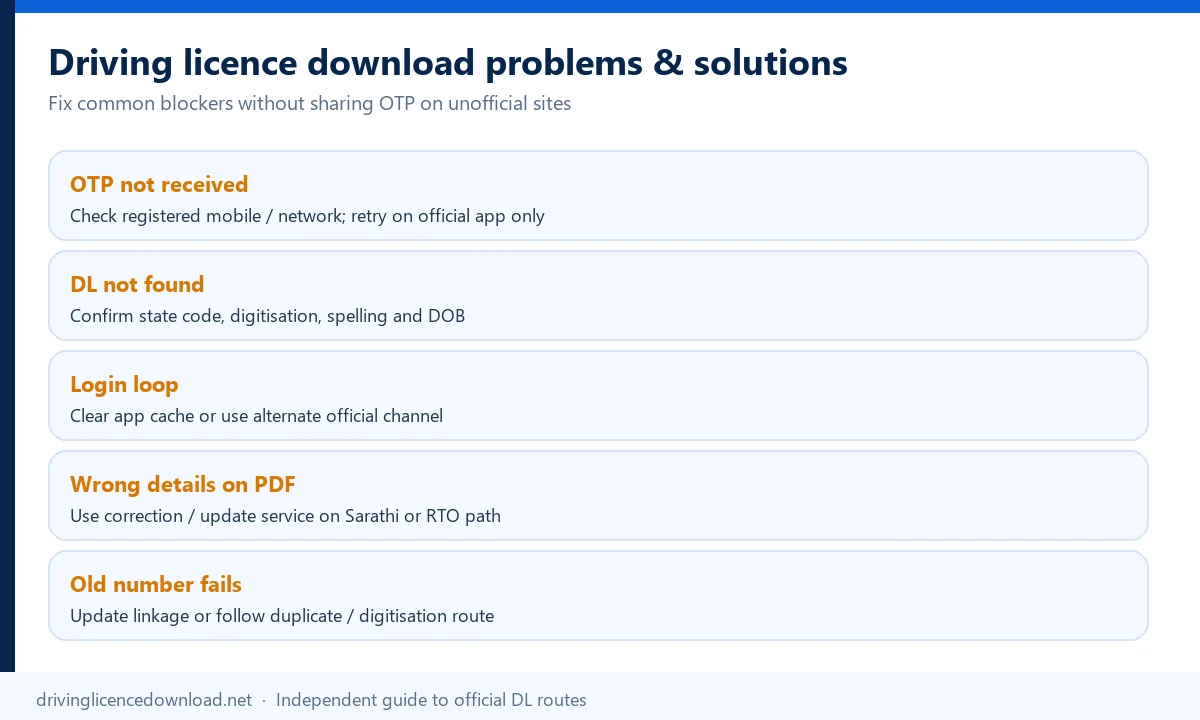
Most download failures are caused by an incorrect identifier, an identity mismatch, a non-digitized record or a state service that does not provide the expected output.
| Problem | Possible reason | What to do |
|---|---|---|
| DL details not found | Wrong state, number or unavailable record | Check the issuing state, full DL number and DOB |
| Invalid DL number | Incorrect spacing, hyphen or old format | Enter the number in an accepted format |
| DigiLocker cannot fetch the DL | Name or identity mismatch | Compare Aadhaar and DL identity details |
| Old licence is not showing | Record was never digitized | Contact the issuing RTO about backlog entry |
| Recently issued DL is unavailable | Approval, issuance or database update is incomplete | Check the application status |
| Latest renewal is not displayed | The latest transaction has not appeared in the fetched record | Re-fetch later and contact the RTO if it persists |
| OTP is not received | Mobile, network or account issue | Confirm the active number and retry after checking network access |
| Application number is rejected | The service requires a DL number, or vice versa | Confirm which identifier the selected service requests |
| Print DL option is missing | The service is not enabled for that state | Use DigiLocker, mParivahan or the state transport route |
| Download button is missing | The platform offers a Virtual DL instead of a PDF | Check the platform's intended output |
| Wrong details appear on the DL | The source RTO record is inaccurate | Apply for correction of the official record |
| QR code does not verify | Wrong document, damaged QR or non-issued file | Fetch the issued document again |
| DL is approved but physical card is not delivered | Printing or dispatch is pending | Contact the concerned RTO and check application/delivery status |
| PDF does not open | Incomplete download or incompatible viewer | Download the file again or use a compatible PDF viewer |
Check problems in this order:
Use Driving Licence Status to check an existing licence record. Use Driving Licence Application Status when you need to track approval, printing or another application stage.
For DigiLocker account or document-fetch errors, use the official DigiLocker support portal. Missing, outdated or incorrect source records should normally be raised with the concerned transport department or issuing RTO.
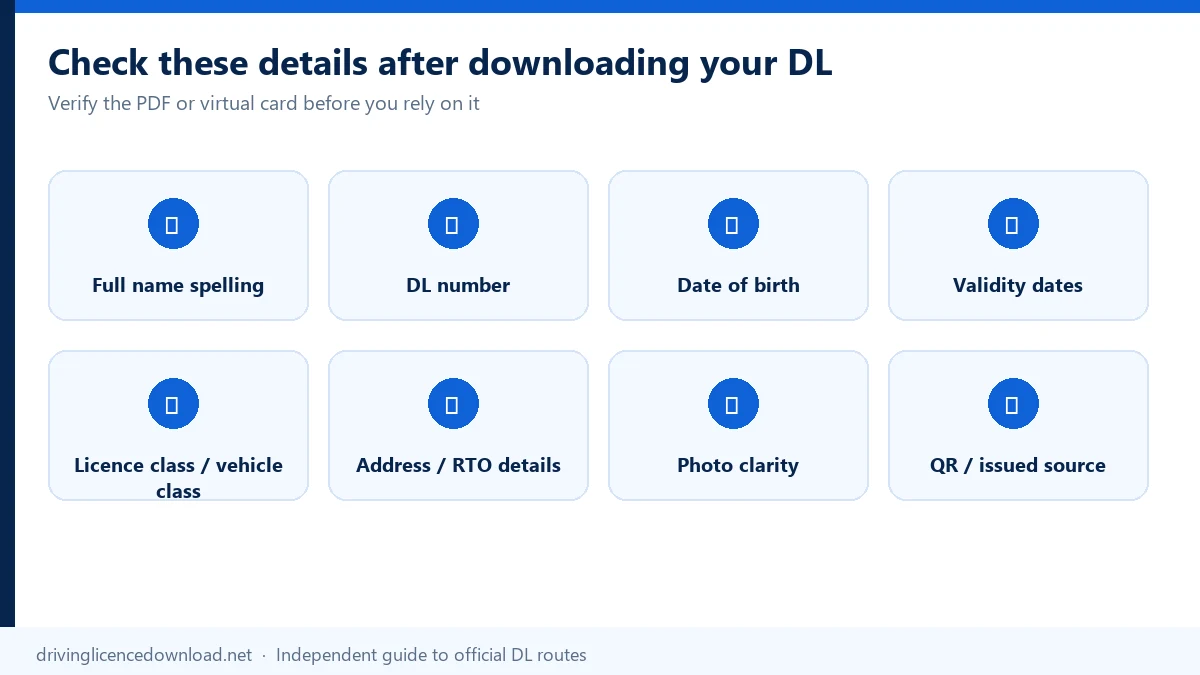
After retrieving the licence, confirm that the official record is complete and accurate:
Do not edit a PDF or image to correct inaccurate information. The underlying licence record must be corrected through the appropriate official service.
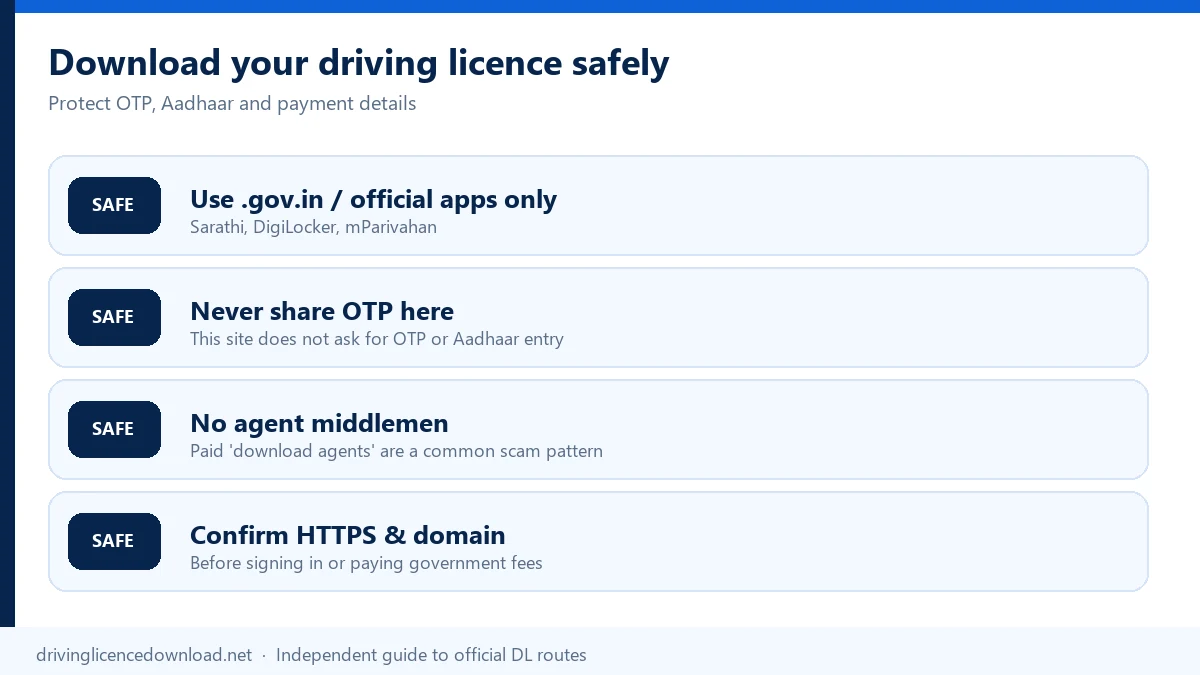
DrivingLicenceDownload.net explains the process and links to official services. It does not access the Sarathi database, issue government documents or process licence-holder information.
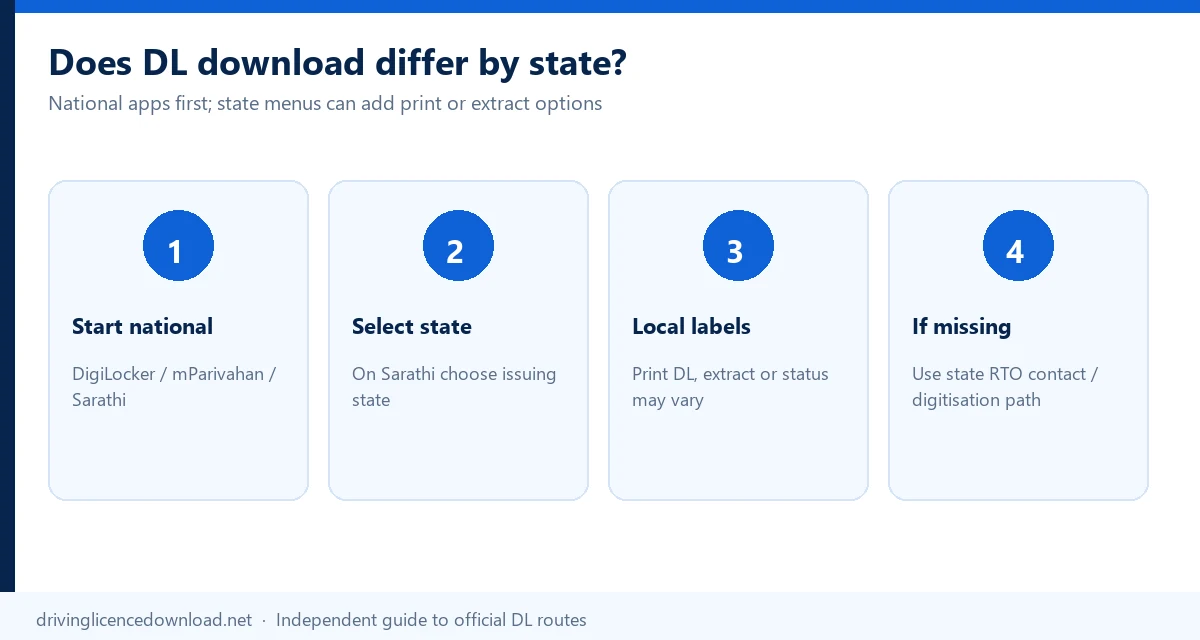
DigiLocker and mParivahan provide national digital-access routes, but the exact Sarathi menu, requested identifier and Print DL availability can differ by state. Always select the state that issued the licence.
Use our state driving-licence guides for validated state-specific routes, including states where an additional transport portal or digital wallet changes the workflow. State pages should explain genuine differences rather than repeat the same national instructions.
For Andhra Pradesh, start with the driving licence download AP guide and select Andhra Pradesh on Sarathi. A driving licence download AP still uses DigiLocker or mParivahan for the national digital copy.
Downloading an existing DL is different from checking status, tracking an application, renewing a licence or applying for a replacement.
A driving licence online apply stays with those application services.
| What you need to do | Relevant guide |
|---|---|
| Check whether a DL is active or valid | Driving Licence Status |
| Track a submitted application | DL Application Status |
| Download a learner licence | Learner Licence Download |
| Renew an expired licence | Driving Licence Renewal |
| Replace a lost or damaged licence | Duplicate Driving Licence |
| Verify licence information | Driving Licence Status |
| Resolve DigiLocker problems | DigiLocker Driving Licence |
| Create a Virtual DL | mParivahan Driving Licence |
Yes. An already-issued Indian driving licence can be accessed through DigiLocker, mParivahan or a state-enabled Sarathi service. The available result can be an issuer-fetched document, Virtual DL, Print DL or DL Extract depending on the chosen platform and state.
Use DigiLocker or a state-enabled Sarathi Print Driving Licence service. Search for the relevant driving-licence record, enter the requested DL/application information and save the document if the platform provides a PDF download option.
That saved file is a driving licence download PDF by DL number.
Yes. The DL number is the primary identifier for an issued licence. You may also need the recorded date of birth, issuing state and access to the relevant account or OTP.
Some Sarathi print services accept an application number and DOB. An application number identifies a submitted transaction, while a DL number identifies the issued licence. DigiLocker and mParivahan generally use the DL number.
Normally, no. A mobile number is used for account login or OTP verification, but it generally does not replace the DL number as the licence-record identifier.
A driving licence download with mobile number is that login step, not a search by phone number alone.
Aadhaar can authenticate or link a DigiLocker account. The user normally still needs to select the relevant issuer and enter the driving licence number to retrieve the record.
A driving licence download with an Aadhaar card follows that same sign-in and DL-number sequence.
The mobile number used for the Aadhaar-linked DigiLocker account can differ from the number associated with the DL. Sign in to the current DigiLocker account, select the relevant issuer and enter the licence number. Update the transport record separately if necessary.
First try to recover the number from an old card, photocopy, government SMS/email, DigiLocker account, application receipt or the issuing RTO. Avoid unverified websites that claim to find an official DL using only a name or phone number.
Enter the old DL number using the accepted format and select the correct issuing state. If the record is not available online, contact the issuing RTO to determine whether backlog entry or digitization is required.
When the portal can save the file, that file is the old driving licence download PDF.
DL backlog entry is the process used to add or update old manually maintained licence records in the digital system. It may be necessary when a valid physical licence is not found online.
Common causes include an incorrect DL number, wrong issuer, name mismatch, non-digitized record or unavailable source data. Check the input details first, then contact DigiLocker support or the concerned RTO according to where the problem originates.
An electronic driving-licence record available through DigiLocker is legally recognized under the government's electronic-document framework. Use the issuer-fetched record and its verification features rather than only an unrelated image.
Electronic DL information available through the official mParivahan platform is legally recognized under the applicable government guidance. Keep the Virtual DL accessible in the official app for verification.
No. An uploaded scan is a file supplied by the user. An issued document is fetched from a connected issuing authority and may include a secure verification mechanism.
A screenshot may show licence information, but it does not necessarily preserve the provenance and verification functions of the official record. Use DigiLocker, mParivahan or the original issuer-provided document whenever possible.
You can print the available PDF or printable output for convenience. However, a home printout is not the same as a newly issued physical PVC smart card.
No. A DL PDF is an electronic file. A PVC smart card is a physical document issued through the licensing authority's process. Printing a PDF on plastic does not create an officially reissued card.
Downloading gives you access to the existing digital licence record. A duplicate-DL application requests an official replacement after the physical licence has been lost, damaged, destroyed or defaced.
Sarathi services are configured by state. The menu name or print option may differ or may not be enabled. Use DigiLocker or mParivahan, and consult your state transport department's instructions.
Use the official document-verification mechanism. DigiLocker-issued documents can be checked through the DigiLocker QR verification service. You can also compare the licence details with the official record.
Do not edit the downloaded PDF or image. Apply for correction of the underlying licence record through the appropriate Sarathi/state service or contact the issuing RTO.
No. DrivingLicenceDownload.net is an independent guide. It should not request or store your DL number, Aadhaar number, DOB, OTP, password or MPIN. Complete all personal-data entry on the linked official service.
Yes. Sarathi primarily handles driver and learner licence services. Vahan primarily handles vehicle registration and related vehicle services. Both operate within India's wider digital transport ecosystem.
This page was reviewed on 26 September 2026. Official retrieval happens only on government portals such as DigiLocker, mParivahan and Sarathi Parivahan. See About us for how guides are updated, and use Contact and corrections to report an error.